
User's Manual


Chapter 4 Tutorials
P-660HW-Tx v3 Series User’s Guide
60
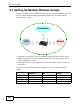
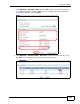
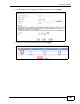
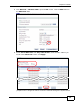
2 Click Network > NAT > Port Forwarding to open the following screen. Select
User define from the Service Name field.
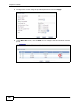
3 Configure the screen as follows to open TCP/UDP port 53 for Xbox 360. Click
Apply.
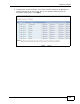
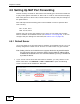
4 Repeat steps 2 and 3 to open the rest of the ports for Xbox 360. The port
forwarding settings you configured are listed in the Port Forwarding screen.