
User's Manual


Chapter 4 Tutorials
P-660HW-Tx v3 Series User’s Guide
74
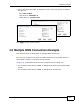
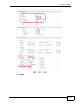
2 Click the Advanced Setup button to display the following options. Select UBR in
the ATM QoS Type field.
Click Apply.
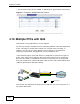
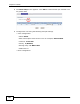
3 Click the More Connections tab and then click the Edit icon next to the entry
two.
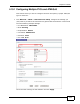
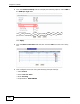
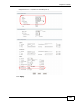
4 Then configure the screen using the following example settings:
• Select Active.
•Name: PVC-for-VoIP
•Mode: Routing
•Encapsulation: ENET ENCAP