
User's Manual




P-660HW-Tx v3 Series User’s Guide
83
CHAPTER 5
Internet and Wireless Setup
Wizard
5.1 Overview
Use the wizard setup screens to configure your system for Internet access with
the information given to you by your ISP.
Note: See the advanced menu chapters for background information on these fields.
5.2 Internet Access Wizard Setup
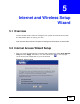
1 After you enter the password to access the web configurator, select Go to Wizard
setup and click Apply. Otherwise, click the wizard icon ( ) in the top right
corner of the web configurator to go to the wizards.
Figure 12 Select a Mode