
User's Manual


Chapter 5 Internet and Wireless Setup Wizard
P-660HW-Tx v3 Series User’s Guide
92
5.3 Wireless Connection Wizard Setup
After you configure the Internet access information, use the following screens to
set up your wireless LAN.
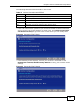
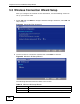
1 Select Yes and click Next to configure wireless settings. Otherwise, select No and
skip to Step 6.
Figure 24 Connection Test Successful
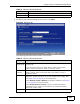
2 Use this screen to activate the wireless LAN. Click Next to continue.
Figure 25 Wireless LAN Setup Wizard 1
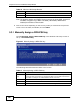
The following table describes the labels in this screen.
Table 15 Wireless LAN Setup Wizard 1
LABEL DESCRIPTION
Active Select the check box to turn on the wireless LAN.
Back Click this to return to the previous screen without saving.